History
The History view connects to the application's internal session database to track your projects and imaging sessions over time.
- Track historical nights for specific deep sky targets.
- Group multiple nights under a single project name to see total exposure time accumulated.
The following terms need some declaration:
- Projects: A project represents all sessions from all nights required to create the final image. Projects are captured over multiple nights with different filters. For mosaics multiple panels are used and all together is just one project with one final image, which might be presented on Astrobin. Projects must be created manually!
- Light: One single exposure with one filter for one panel.
- Session Summary: A session summary combines all lights for one panel taken with one telescope and one camera from one location using the same filter during one night! If you are using multiple filters or captured multiple panels in one night, these are different session summaries. For each session summary several statistical values are calculated and stored, when you are importing your session lights for analysis.
Projects
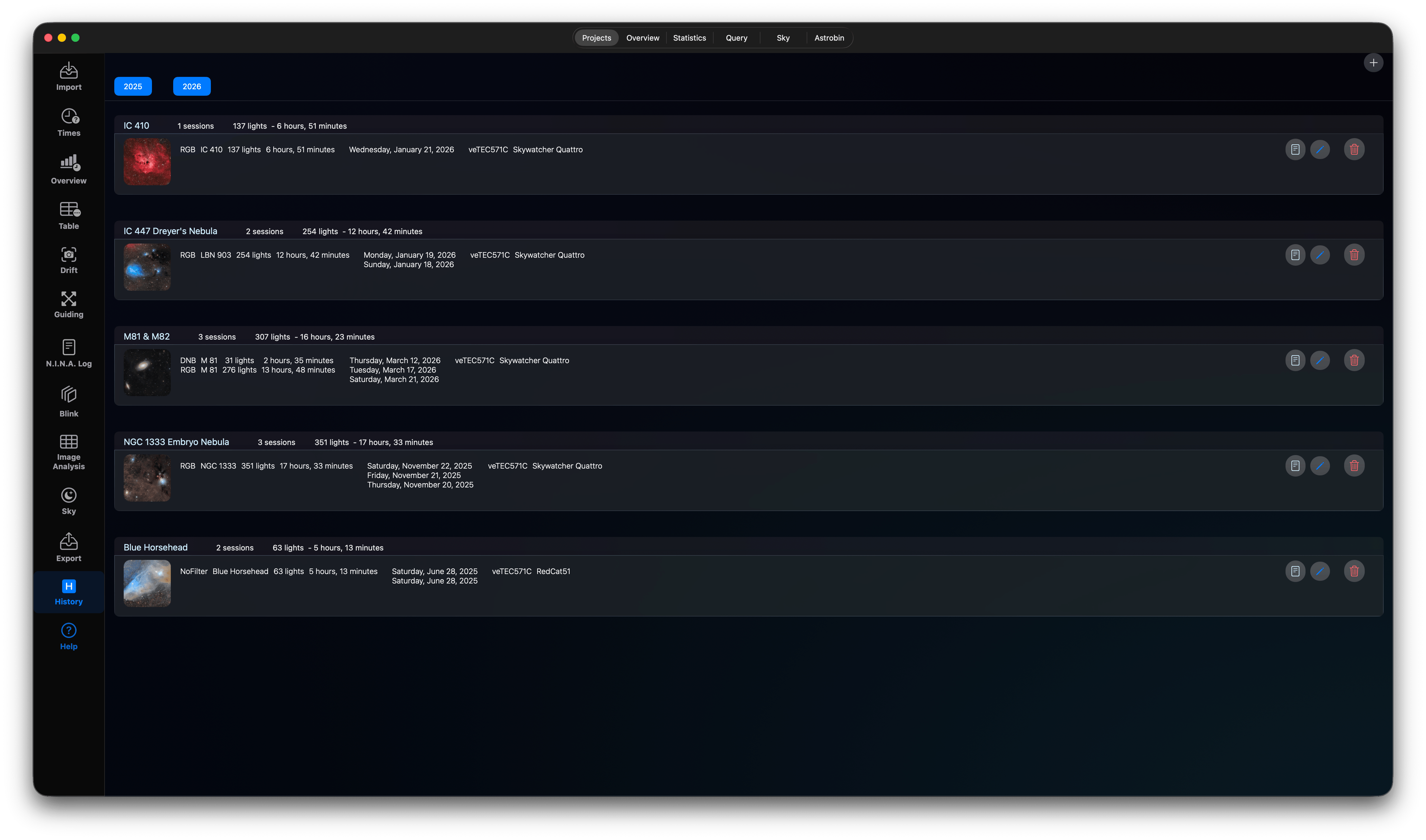
In the projects tab you will find all created projects. Use the + Button in the top-right corner to create a new project. If you already have published the final image on Astrobin, you can also use the Astrobin tab to create the project, otherwise use the plus button.
You can filter projects by years (for the finalisation of the project). Select/Unselect the years in the top row. For each project you can edit the project content using the edit Button (Pen) or delete the project using the trash can. You can also create a detailed PDF report for this project using the Create Report Button. After a few seconds the PDF report opens. If you want to store this report please use the save command from the preview app to store this PDF document.
Overview
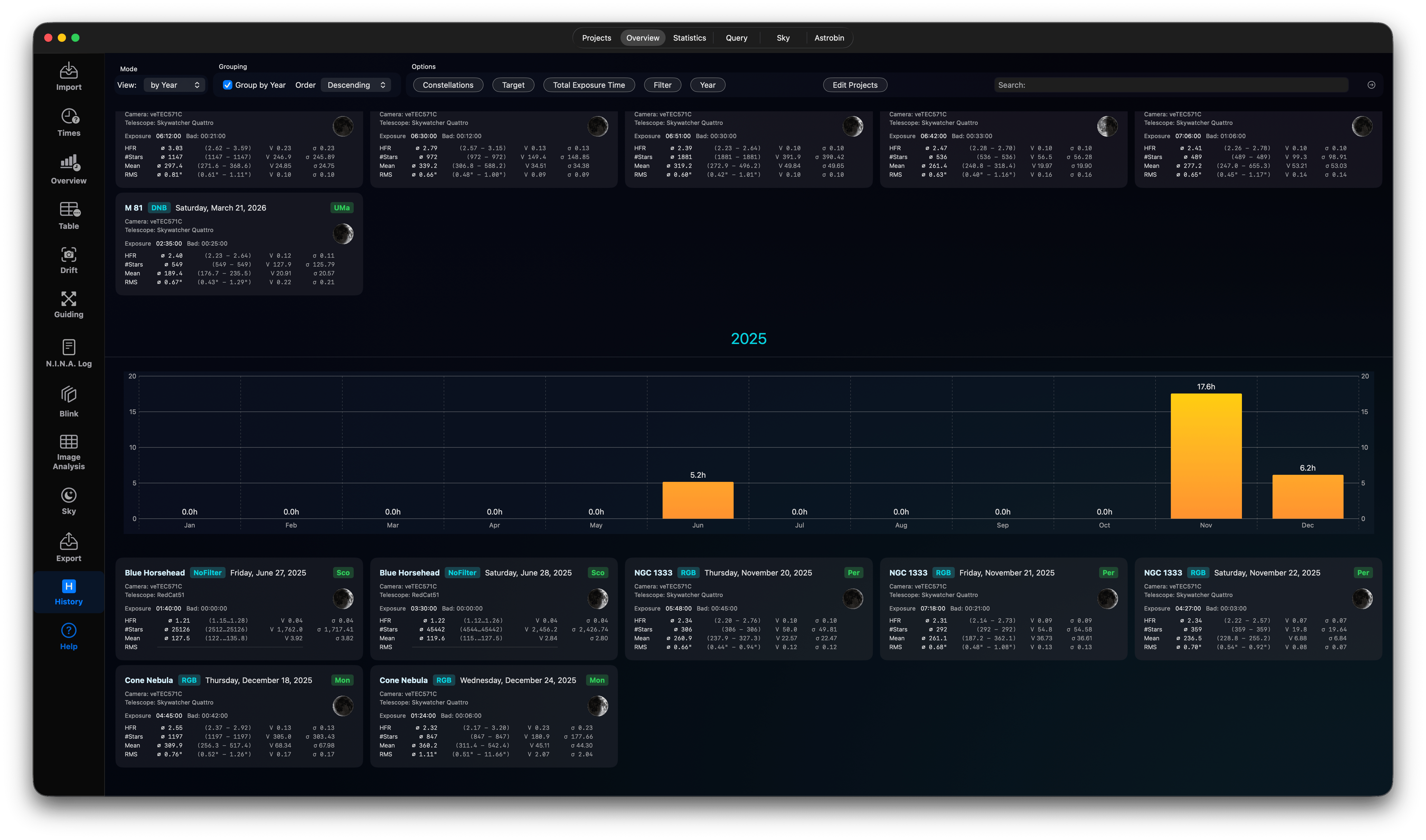
The overview tab shows all your session summaries. This is the work you have done over the years. With the controls in the top row you can filter your session summaries and filter by constellation, targets, exposure time, filter and year. And you can edit or create projects here too. The charts per year shows the amount of investigated total exposure time for each month of the year. For people with only limited sky conditions the charts might be sparse, for other people with remote telescopes these charts might be totally overcrowded…
Statistics
Use this tab to show several statistics charts per session or per light using your history database.
Session Statistics
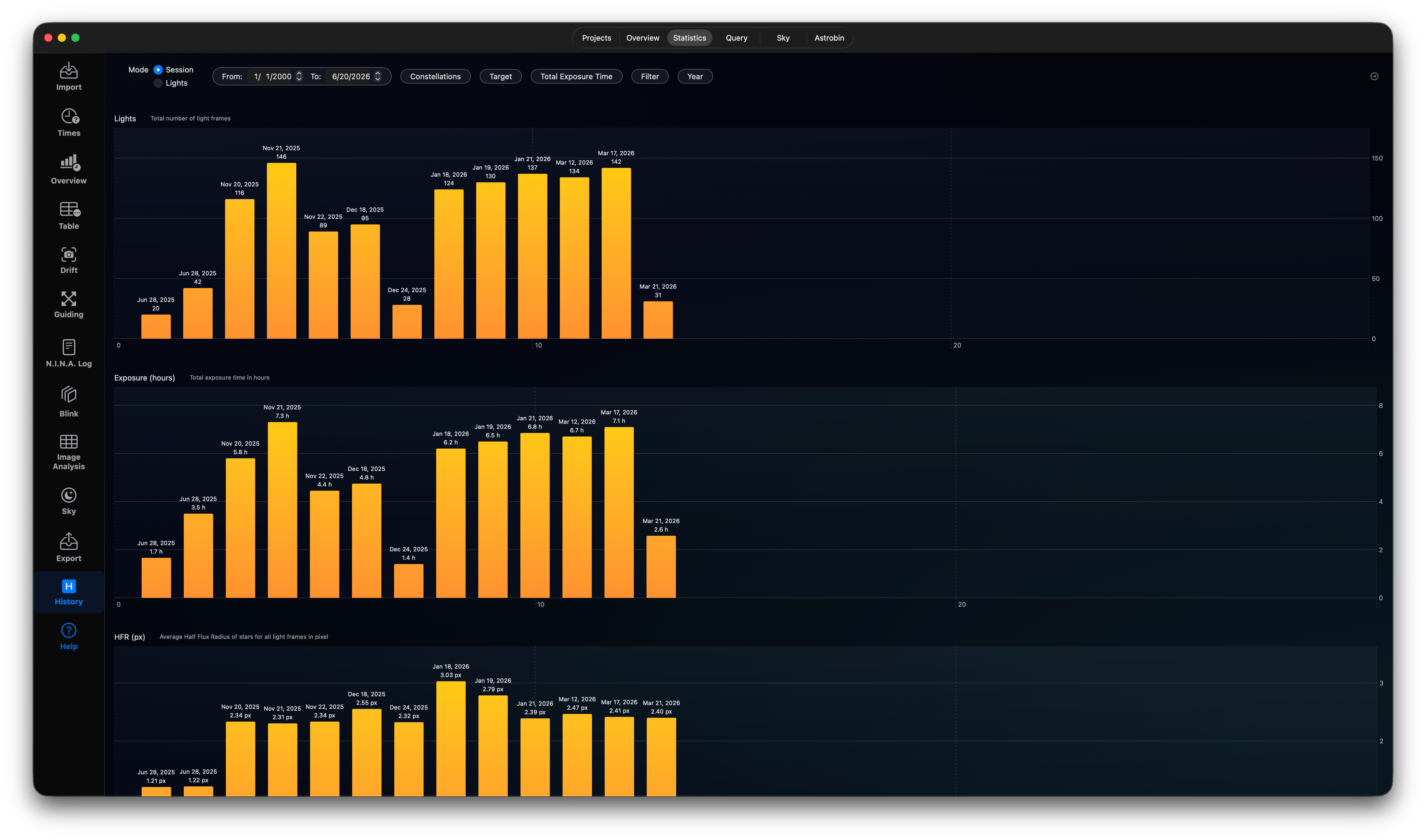
The session statistics shows bar charts for the number of lights per session, the total exposure time for each session and the average HFR values.
Lights Statistics
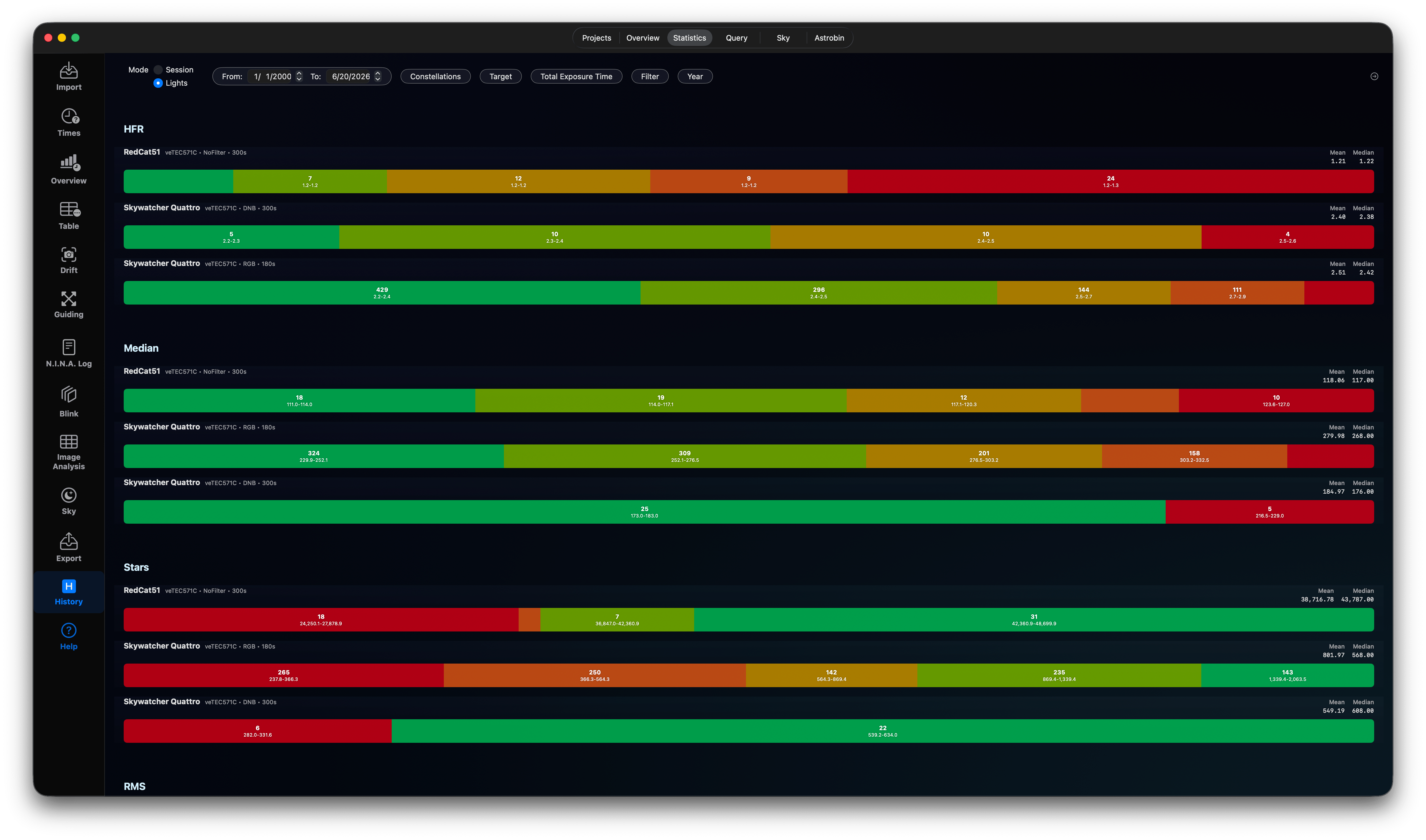
Use this tab to show several statistics charts per light using your history database. These charts are just accumulating the data for different equipments, such as the HFR values, the Median or the number of stars. The bars have different colors, where
- green is indicating perfect or good values
- yellow/orange is indicating average values
- red indicates bad values
Database Query
- Build advanced queries to search your capture history.
- Query by target name, filter type, date range, or weather metrics.
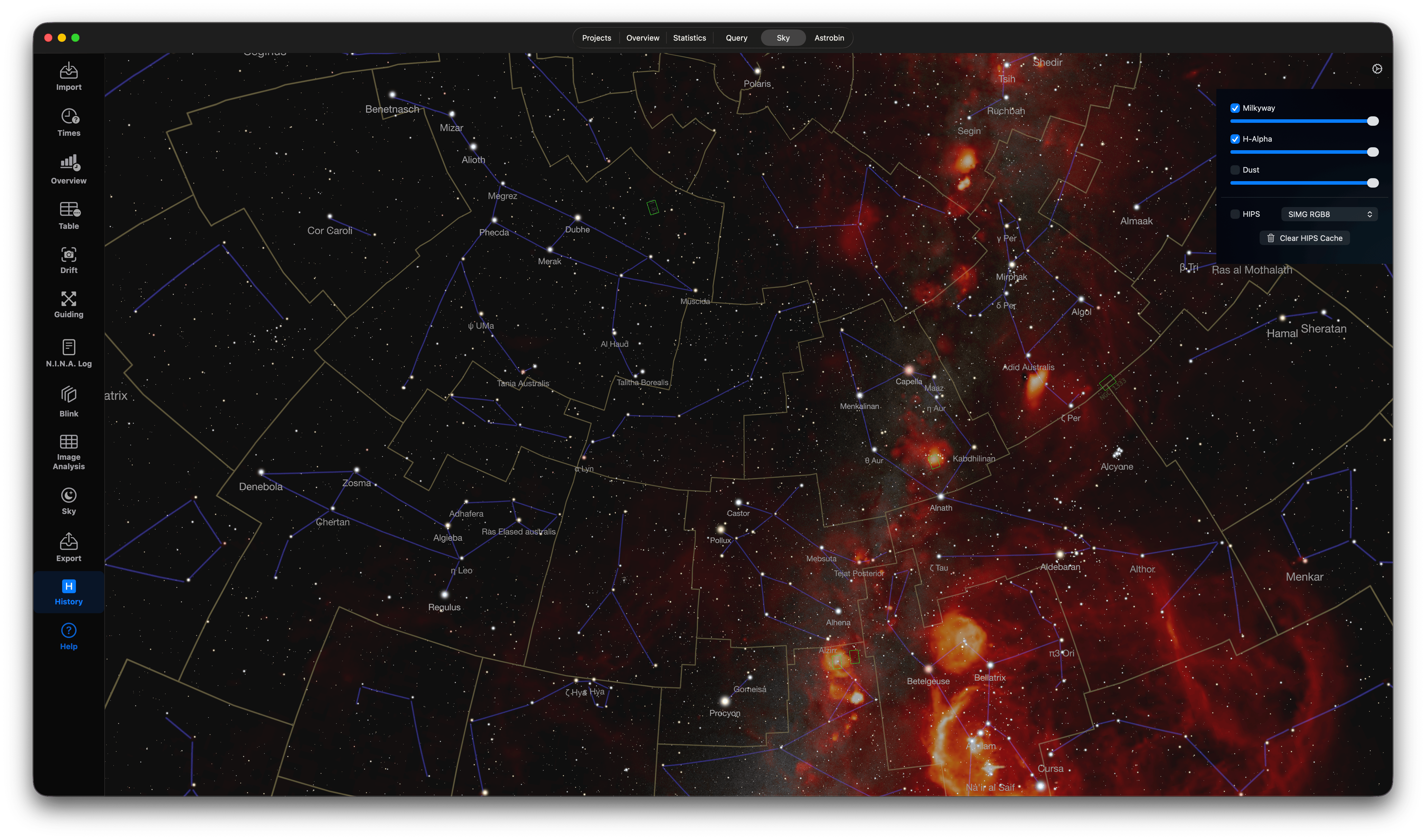
Historical Sky Plot
Displays your past target locations on a celestial map, showing where you have imaged in the past. Please find the sky map settings on the top-right using the Gear Button. You can add or remove several layers on top of the sky map, such as
- Milkyway: You can add or remove the milky way texture and dim the texture to meet your needs.
- H-Alpha: Add or remove and dim the H-Alpha texture.
- Dust: Add or remove and dim the dust texture.
Wellknown from Stellarium you can add HIPS tile services as overlay. Check HIPS and select one of the tile services as layer. For the northern sky I highly recommend using the SIMG layers created by Stefan Ziegenbalg.
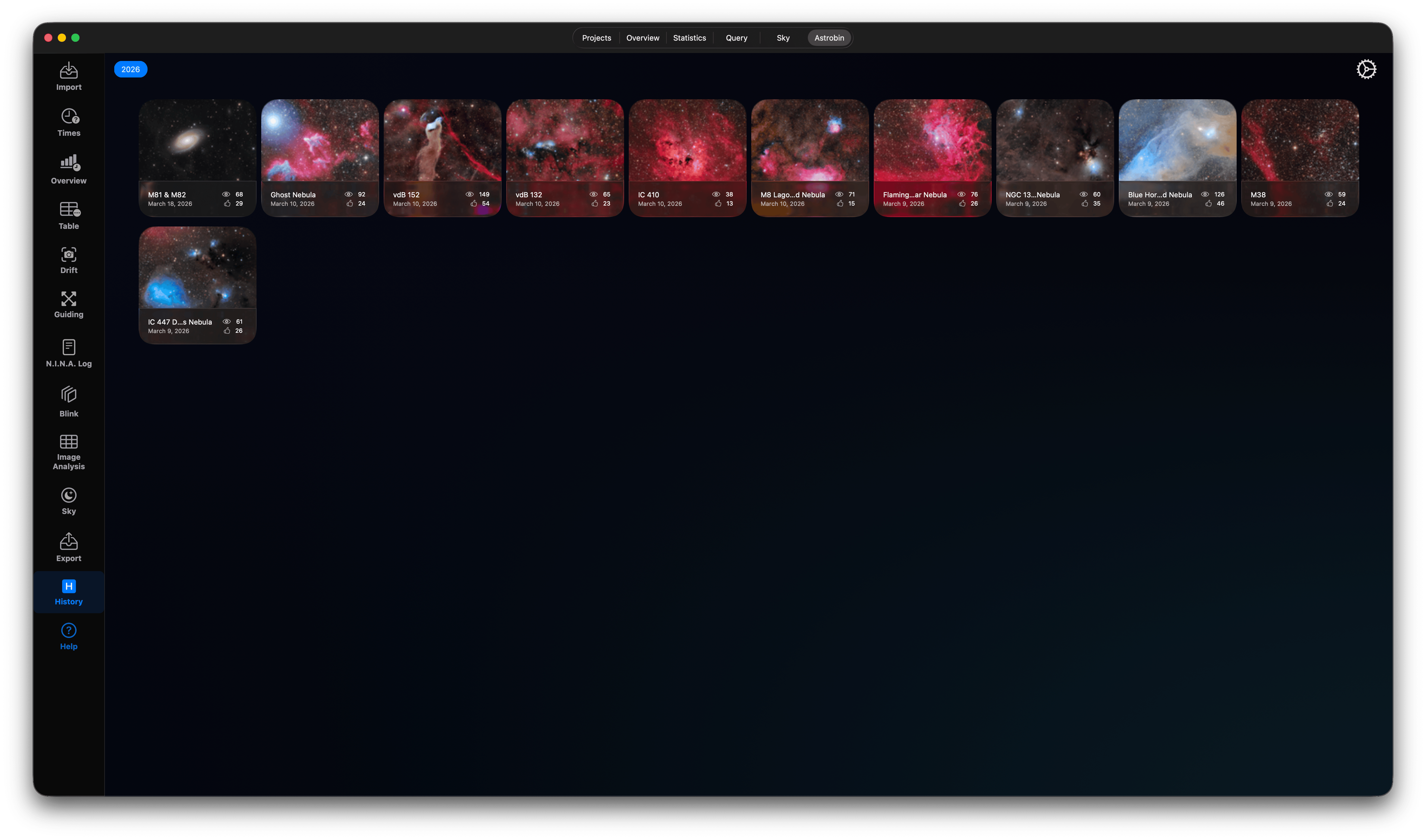
Astrobin Integration
- Check linked Astrobin image details.
- View awards and community selections for your targets directly in the app.
- Combine or create Projects with your Astrobin data.
 <
<